DeliveryDownload link right after checkout, also sent by email
Couldn't load pickup availability
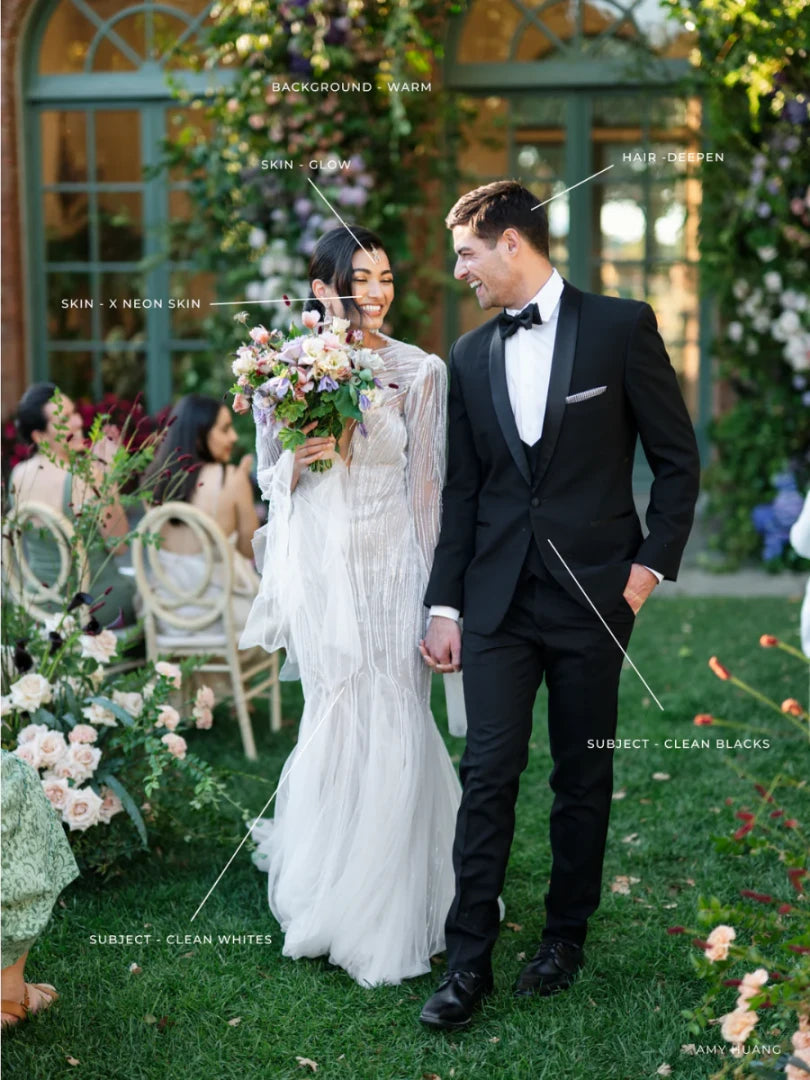
Manual masking steals time you would rather spend shooting. The Refined AI Tool Box adds 50 AI-powered masking presets to Lightroom, each designed to isolate one part of the image and treat it well: brighter eyes and smoother skin in portraits, skies that stay blue instead of grey, warmer greens in a summer field, or a softer background without a single brush stroke.
They are finishing tools. Apply your base edit first, then use them to fix the last thing bothering you. Every adjustment stays fully editable.
For Lightroom Classic, Lightroom CC 17.1+ and Adobe Camera Raw with AI masking
Best on RAW files; works with any preset or workflow
For wedding, portrait, family, lifestyle and editorial photographers
How to install
Lightroom Classic: in the Develop module, click + in the Presets panel and choose Import Presets.
Lightroom: open Edit → Presets, use the … menu and choose Import Presets.
Every photo is different, so fine-tune exposure and white balance after applying a preset.
Delivery
This is a digital product and nothing is shipped. After payment you get a download link on the order confirmation page, and the same link is emailed to you.
Need help?
If something does not work as expected, contact us with your order number and we will help you out.
Refined AI Tool Box – 50 AI Masking Tools for Lightroom$5.00