Le Rêve LUT Collection – Gamut × Le Rêve Films
Le Rêve LUT Collection – Gamut × Le Rêve Films
Instant digital download
- Format.cube LUT files
- Works withDaVinci Resolve, Premiere Pro, Final Cut Pro, CapCut and most editors that load LUTs
- DeliveryDownload link right after checkout, also sent by email
Couldn't load pickup availability
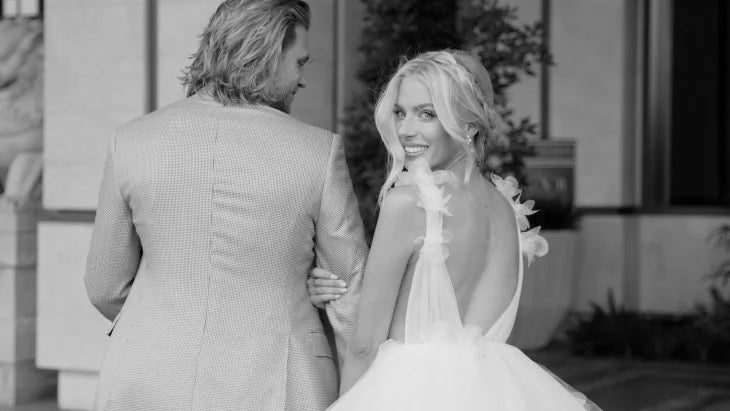
Some wedding films just feel lighter. The highlights melt instead of clipping, skin looks warm without turning orange, and every frame has that quiet, expensive calm. That's the feeling Le Rêve Films built this collection around — and together with Gamut, they turned it into six looks you can drop straight onto your timeline.
It's made for filmmakers working with luxury weddings: soft contrast, creamy whites and a gentle pastel palette that keeps real moments looking real, just a little more like a memory.
The six looks
- Le Rêve I — a warm golden glow, flattering skin and soft, creamy whites.
- Le Rêve II — neutral and romantic, with airy highlights and quieter greens.
- Le Rêve III — balanced cinematic contrast; a safe pick for receptions and evening light.
- Le Rêve IV — delicate pastels that recall natural light on vintage film.
- Le Rêve V — richer tones and bright, luminous whites with a touch of warmth.
- Le Rêve VI — a matte, timeless finish for a more editorial feel.
What you get
- 6 main LUTs (Le Rêve I–VI)
- 6 color-only LUTs, so you can change the palette without touching contrast
- 6 contrast-only LUTs, to shape depth and dynamic range on their own
- 18 .cube files in total (33-point)
Having color and contrast split out is the real advantage here: if a shot is already contrasty, use just the color layer; if you like your own palette, borrow only the contrast.
Works with
Premiere Pro, DaVinci Resolve, Final Cut Pro, Vegas Pro, CapCut — and any editor that reads .cube LUTs.
Suitable for Rec.709 and log footage (C-Log, S-Log3, V-Log and others) from Blackmagic, Canon, Sony, RED, DJI, Nikon, Panasonic, Fujifilm, Leica, Olympus and Z CAM. Designed to pair with Gamut BaseLUTs®.
A quick tip
Get exposure and white balance right before the LUT goes on — the look will land much more consistently from clip to clip.
How to install
DaVinci Resolve: Project Settings → Color Management → Open LUT Folder, copy the .cube files in, then click Update Lists.
Premiere Pro: Lumetri Color → Creative → Look → Browse, and pick a .cube file.
Final Cut Pro: add the Custom LUT effect to your clip and choose the .cube file.
Set exposure and white balance first, then apply the LUT and adjust its intensity to taste.
Delivery
This is a digital product and nothing is shipped. After payment you get a download link on the order confirmation page, and the same link is emailed to you.
Need help?
If something does not work as expected, contact us with your order number and we will help you out.