Works withDaVinci Resolve, Premiere Pro, Final Cut Pro, CapCut and most editors that load LUTs
DeliveryDownload link right after checkout, also sent by email
Couldn't load pickup availability
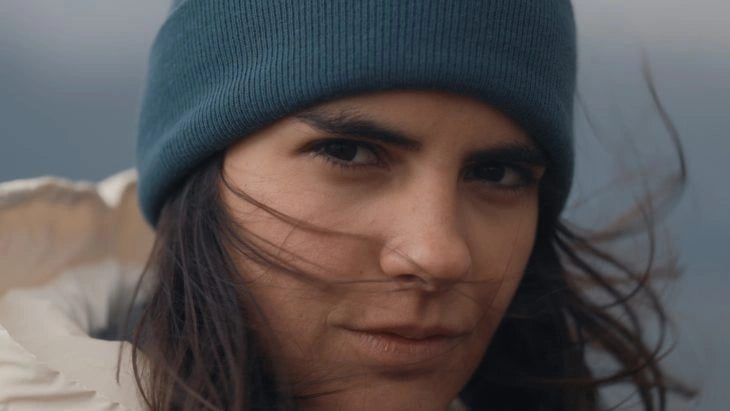
Made with travel filmmaker Sam Newton, Immersion pushes footage toward deep cinematic color without wrecking skin tones. Cool, weighted shadows, rich blues and teals, golden highlights and earthy midtones — film-like contrast held in check by controlled saturation and clean color separation. Tropical water reads glassy and blue, desert roads glow amber, and faces still look like faces.
10 .cube LUTs: five base looks, each with a "+" version for deeper shadows and more punch.
Tonal Eclipse: Cool shadows, subtle warmth Distant Teal: Smooth teal undertones Chromatic Cream: Crisp, soft blue lean Ethereal Blue: Water, foliage, evening light Solar Burn: Sunsets and desert landscapes
Apply straight to properly exposed Rec.709, or pair with Gamut BaseLUTs for Canon Log, S-Log, V-Log and other log workflows. Works in DaVinci Resolve, Premiere Pro, Final Cut Pro, After Effects and any .cube-compatible editor. Built for travel films, drone and landscape work, documentary storytelling, vlogs and commercial content.
How to install
DaVinci Resolve: Project Settings → Color Management → Open LUT Folder, copy the .cube files in, then click Update Lists.
Premiere Pro: Lumetri Color → Creative → Look → Browse, and pick a .cube file.
Final Cut Pro: add the Custom LUT effect to your clip and choose the .cube file.
Set exposure and white balance first, then apply the LUT and adjust its intensity to taste.
Delivery
This is a digital product and nothing is shipped. After payment you get a download link on the order confirmation page, and the same link is emailed to you.
Need help?
If something does not work as expected, contact us with your order number and we will help you out.