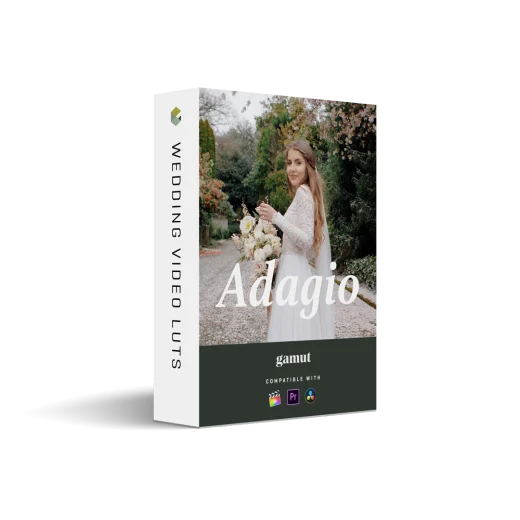
Adagio LUTs by White In Revery x Gamut
Adagio LUTs by White In Revery x Gamut
Instant digital download
- Format.cube LUT files
- Works withDaVinci Resolve, Premiere Pro, Final Cut Pro, CapCut and most editors that load LUTs
- DeliveryDownload link right after checkout, also sent by email
Couldn't load pickup availability
Think slightly overexposed Fuji 400H: luminous whites, blush-pink highlights, greens that stay alive instead of going acidic. Five LUTs built around bright, saturated film tones and soft cinematic contrast — the palette destination wedding filmmakers and luxury brand storytellers reach for when footage needs warmth without heavy grading.
Adagio 01: Lively greens, flattering skin, graceful pink highlights
Adagio 02: Warmest of the set — deeper reds/oranges, bold blacks, clean whites
Adagio 03: Cooler greens, richer blues, added contrast for urban/low-light
Adagio 04: Warm/cool balance, blush highlights, lifted shadows for underexposed clips
Adagio 05: Modern black and white with nostalgic contrast
3D .cube LUTs (25x) with a Mac/Windows installer, ready for Premiere Pro, Final Cut Pro, DaVinci Resolve or any LUT-capable software. Profiled for Panasonic GH/S1, Sony A7III/A7S/A7R, Canon 5D/1DX MII/C100/C200/EOS-R, Nikon Z6/Z7 and Fujifilm XT-2/XT-3. Best in bright daylight, backlight and open shade.
How to install
DaVinci Resolve: Project Settings → Color Management → Open LUT Folder, copy the .cube files in, then click Update Lists.
Premiere Pro: Lumetri Color → Creative → Look → Browse, and pick a .cube file.
Final Cut Pro: add the Custom LUT effect to your clip and choose the .cube file.
Set exposure and white balance first, then apply the LUT and adjust its intensity to taste.
Delivery
This is a digital product and nothing is shipped. After payment you get a download link on the order confirmation page, and the same link is emailed to you.
Need help?
If something does not work as expected, contact us with your order number and we will help you out.