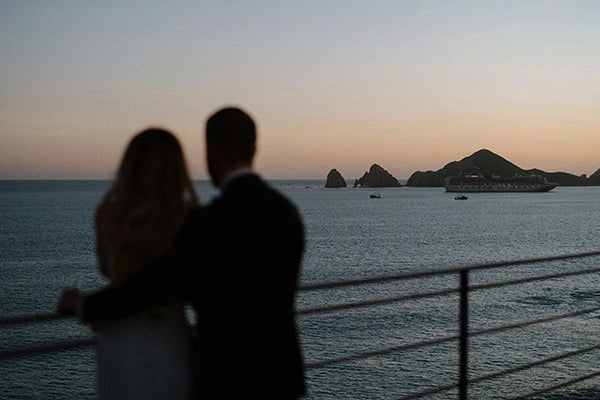
DVLOP Tuscany by Peyton Byford – Warm Editorial Lightroom Presets
DVLOP Tuscany by Peyton Byford – Warm Editorial Lightroom Presets
Instant digital download
- FormatAdobe Lightroom presets
- Works withAdobe Lightroom
- DeliveryDownload link right after checkout, also sent by email
Couldn't load pickup availability
Tuscany brings to mind sun-warmed stone, olive greens and soft, believable skin. Destination wedding photographer Peyton Byford created this DVLOP collection to pair classic tones with a refined editorial finish.
Colours stay true to what you saw: warmth without orange skin, contrast that feels printed rather than pushed, and just enough detail to look polished instead of processed. The presets hold up as the light changes, which matters when the ceremony runs late and you are chasing the last of the sun.
- For Adobe Lightroom Classic, Lightroom CC and Adobe Camera Raw
- Works with RAW and JPEG files
- Ideal for destination weddings, portraits and editorial sessions
How to install
Lightroom Classic: in the Develop module, click + in the Presets panel and choose Import Presets.
Lightroom: open Edit → Presets, use the … menu and choose Import Presets.
Every photo is different, so fine-tune exposure and white balance after applying a preset.
Delivery
This is a digital product and nothing is shipped. After payment you get a download link on the order confirmation page, and the same link is emailed to you.
Need help?
If something does not work as expected, contact us with your order number and we will help you out.