DeliveryDownload link right after checkout, also sent by email
Couldn't load pickup availability
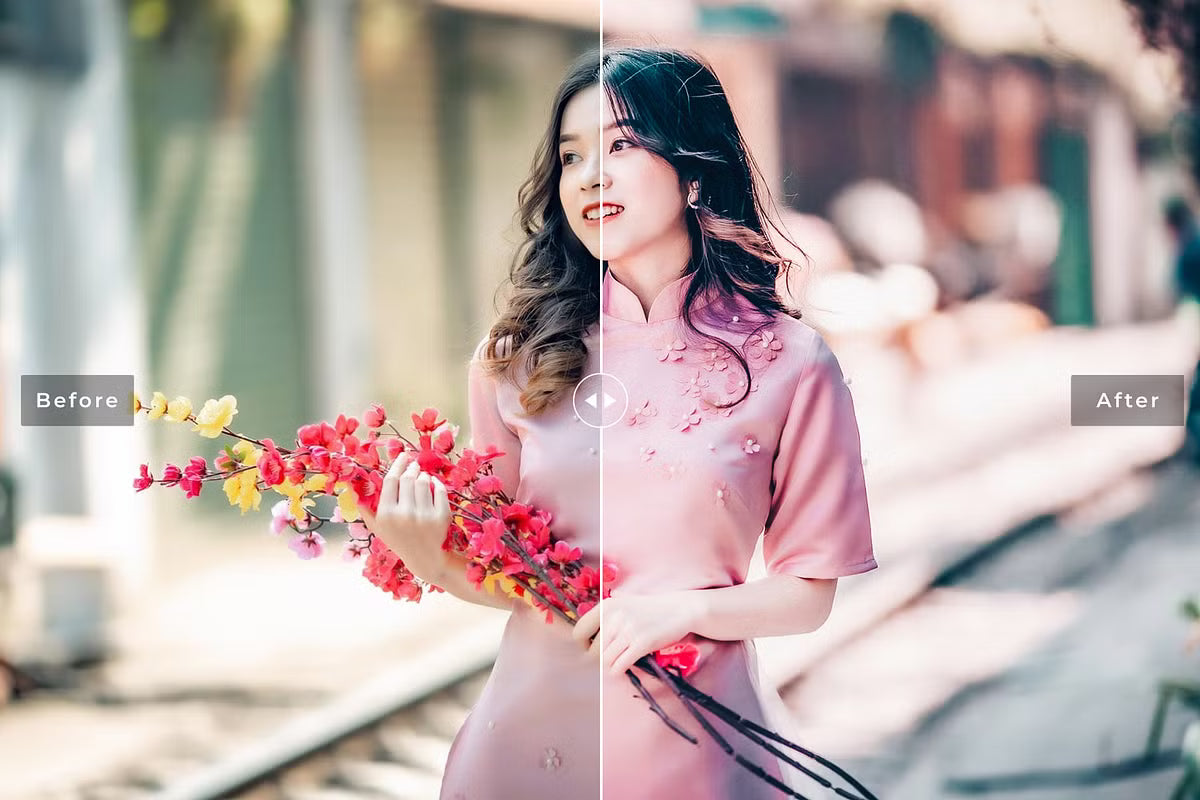
Lewisia Pro brings elegant tones and balanced contrast and was tested across different lighting conditions. It suits fashion and portraits as well as commercial, food and travel photography.
13 presets, each as .lrtemplate, Camera Raw .xmp and Lightroom Mobile .dng
Camera Raw action for Photoshop
Help files included
Mac and PC; RAW and JPEG
How to install
Lightroom Classic: in the Develop module, click + in the Presets panel and choose Import Presets.
Lightroom: open Edit → Presets, use the … menu and choose Import Presets.
Every photo is different, so fine-tune exposure and white balance after applying a preset.
Delivery
This is a digital product and nothing is shipped. After payment you get a download link on the order confirmation page, and the same link is emailed to you.
Need help?
If something does not work as expected, contact us with your order number and we will help you out.
Lewisia Pro Lightroom Presets – 13 Elegant, Balanced Looks$4.00