Archipelago Quest 45 Atelier – Studio Light Lightroom Presets
Archipelago Quest 45 Atelier – Studio Light Lightroom Presets
Instant digital download
- FormatAdobe Lightroom presets
- Works withAdobe Lightroom
- DeliveryDownload link right after checkout, also sent by email
Couldn't load pickup availability
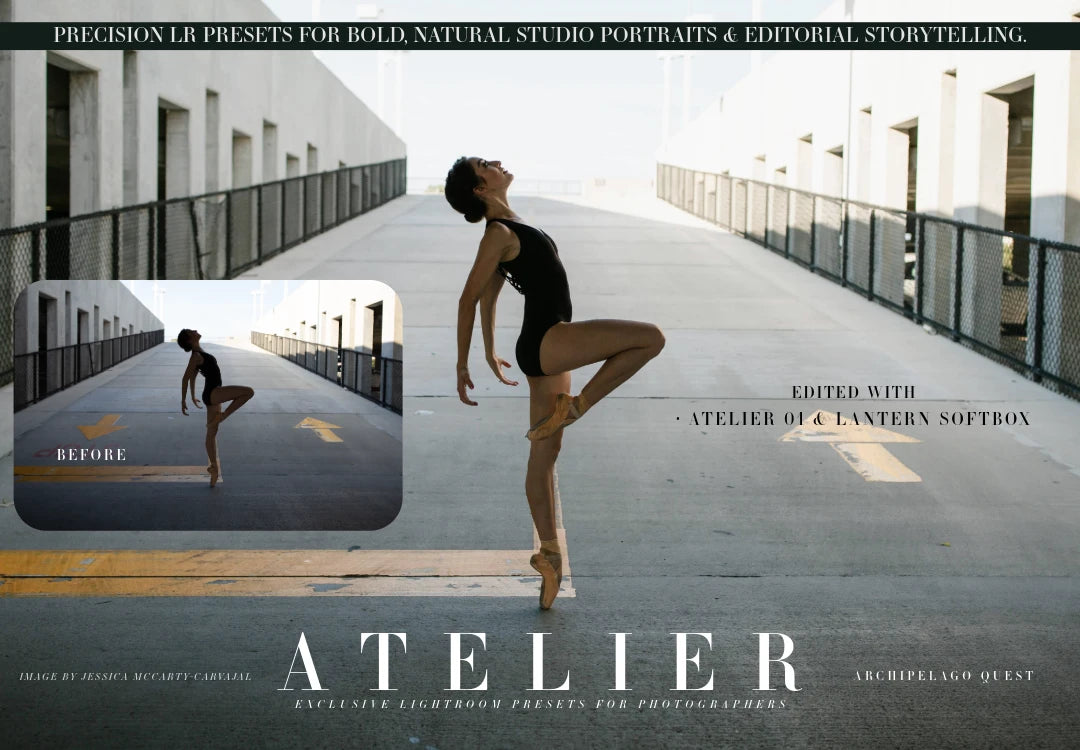
In Atelier, light itself is the subject. Beyond colour grading, these presets simulate studio lighting modifiers, such as the soft fall-off of diffusion and the crisp edge of directional light, so you can reshape a portrait's mood after the shoot.
Skin stays calibrated and true, contrast sits where you want it, and the overall balance is clean and cinematic.
- Atelier 01 – balanced, natural tonality for everyday portraits
- Atelier 02 – bold contrast and rich depth for editorial and fashion
- Atelier 03 – soft, dreamy diffusion with a cinematic finish
- For Lightroom Classic, Lightroom CC desktop and mobile and Camera Raw
- For portrait, editorial, fashion and fine-art photographers
How to install
Lightroom Classic: in the Develop module, click + in the Presets panel and choose Import Presets.
Lightroom: open Edit → Presets, use the … menu and choose Import Presets.
Every photo is different, so fine-tune exposure and white balance after applying a preset.
Delivery
This is a digital product and nothing is shipped. After payment you get a download link on the order confirmation page, and the same link is emailed to you.
Need help?
If something does not work as expected, contact us with your order number and we will help you out.