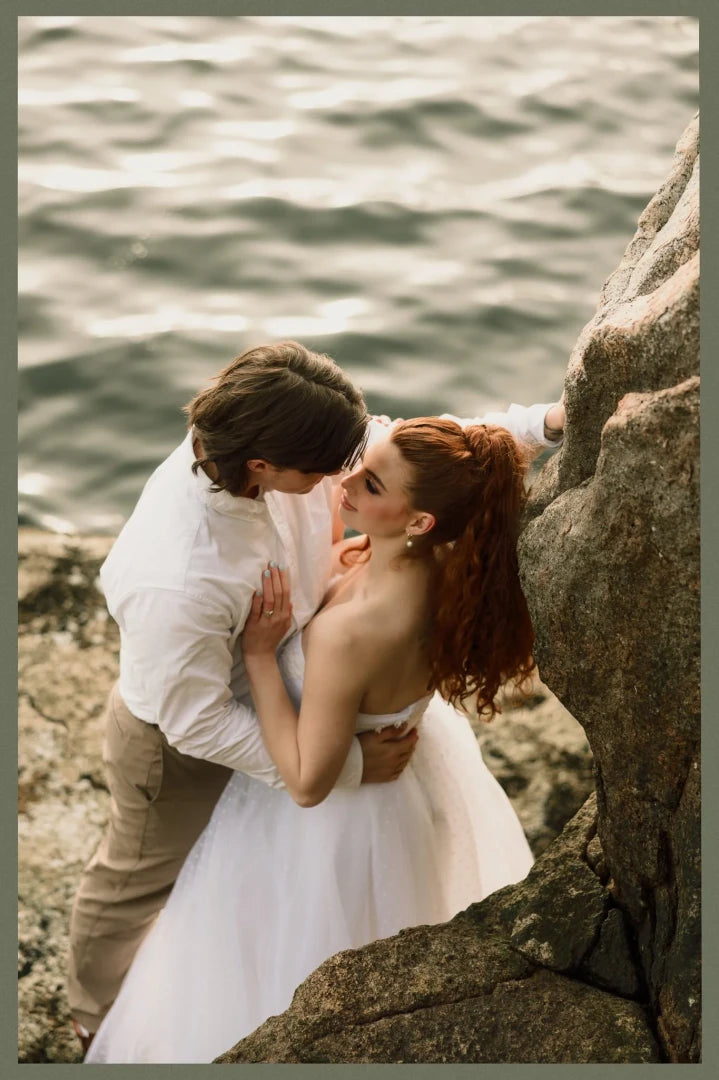
Archipelago Quest 56 RGB – Red, Green and Blue Lightroom Presets
Archipelago Quest 56 RGB – Red, Green and Blue Lightroom Presets
Instant digital download
- FormatAdobe Lightroom presets
- Works withAdobe Lightroom
- DeliveryDownload link right after checkout, also sent by email
Couldn't load pickup availability
Quest 56 takes colour grading back to its primaries. Three presets nudge the image toward red, green or blue, shifting the mood by a few degrees instead of repainting it: warm rust in the shadows, a cool green through the midtones, or a soft blue drift in the highlights.
Skin and natural colours stay intact, so the result feels film-inspired and editorial rather than filtered. The looks hold up in mixed lighting, from overcast streets to window light and golden hour.
- 3 core RGB presets
- 3 creative profiles for extra mood control
- Crunch tool for measured contrast and clarity, Grit tool for fine texture
- Adaptive Minimal Border that responds to your image tones
- For Lightroom desktop and mobile
How to install
Lightroom Classic: in the Develop module, click + in the Presets panel and choose Import Presets.
Lightroom: open Edit → Presets, use the … menu and choose Import Presets.
Every photo is different, so fine-tune exposure and white balance after applying a preset.
Delivery
This is a digital product and nothing is shipped. After payment you get a download link on the order confirmation page, and the same link is emailed to you.
Need help?
If something does not work as expected, contact us with your order number and we will help you out.